login to rate this
ASP.NET MVC Routing with @
9 years ago
0
0
|
login to rate this
ASP.NET MVC Routing with Constraints
9 years ago
0
0
|
login to rate this
How to fix the Could not load file or assembly 'System.IO.Compression' or one of its dependencies exception
4 years ago
0
0
|
login to rate this
Streaming Video Files in ASP.NET MVC
4 years ago
0
0
|
login to rate this
Testing your MVC App on XSP/mono in Fedora (before deploying to Apache)
4 years ago
0
0
|
 nbolt
nbolt
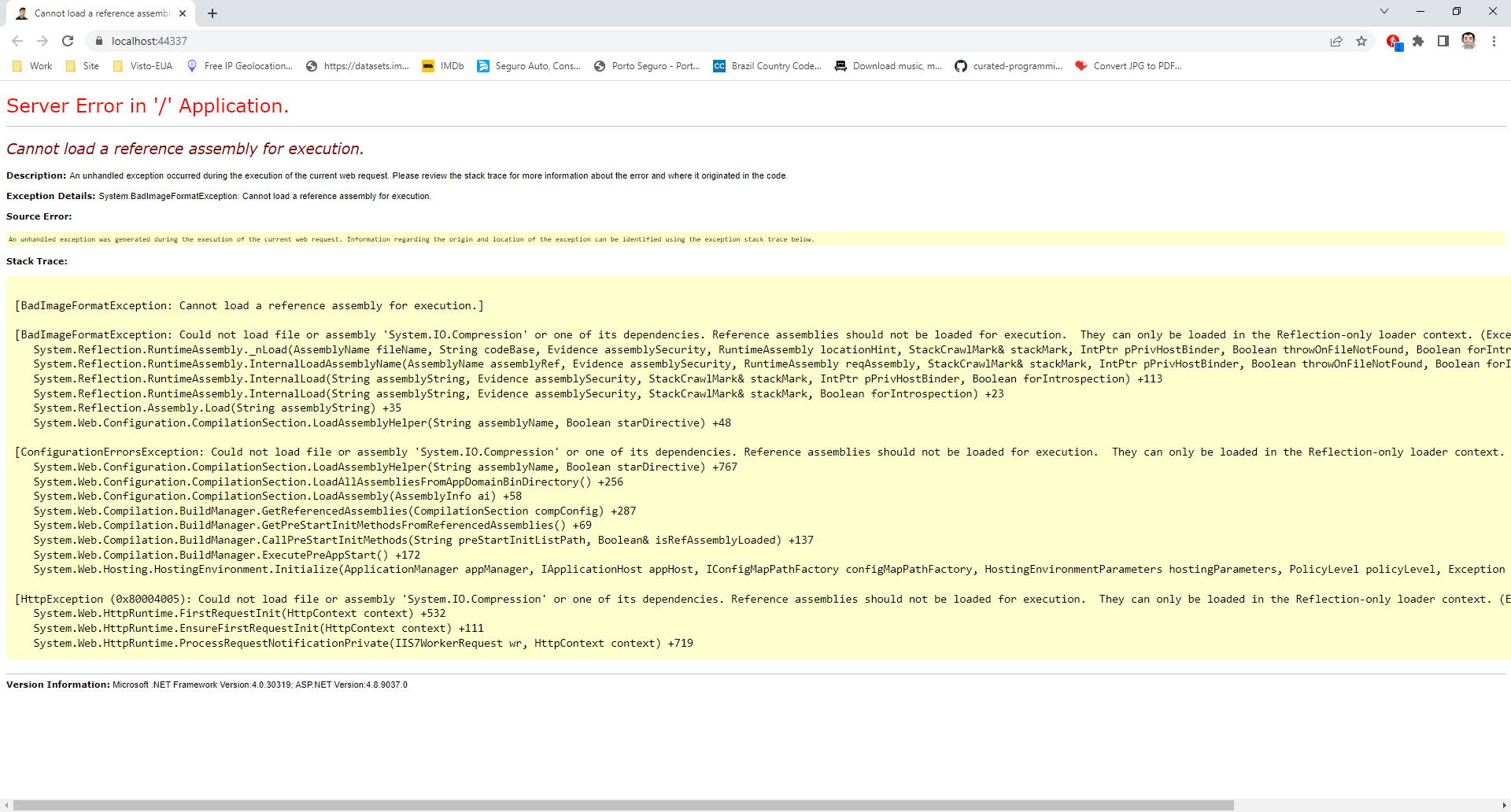
Hi Folks! In this post I will show you how to fix the Could not load file or assembly 'System.IO.Compression' or one of its dependencies exception that happens when you update the package from Nuget or change the application's framework from 4.7 to 4.8 (for me the exception started to happen when I changed frameworks). The process is actually really simple, you just need to open the Powershell in your development/production machine:
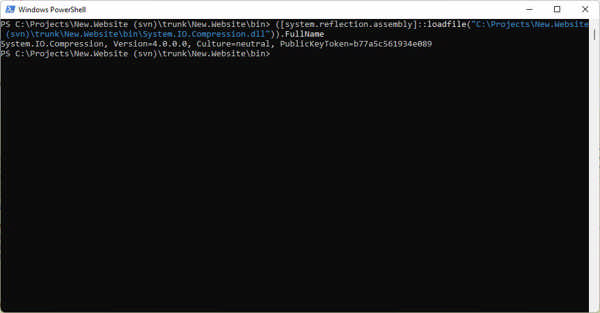
- Open a Powershell Terminal Window;
- Type in ([system.reflection.assembly]::loadfile("{path to your faulty project}\bin\System.IO.Compression.dll")).FullName;
- Press enter (the following output will be displayed with the actual Version of the assembly along with the PublicKeyToken).
Now go to your app/web.config (configuration > runtime element). Search for System.IO.Compression in the dependentAssembly and confirm which version is configured there. You should also confirm the PublicKeyToken. Modify your app/web.config file with the information from the Powershell Terminal Window (publicKeyToken and newVersion attributes).
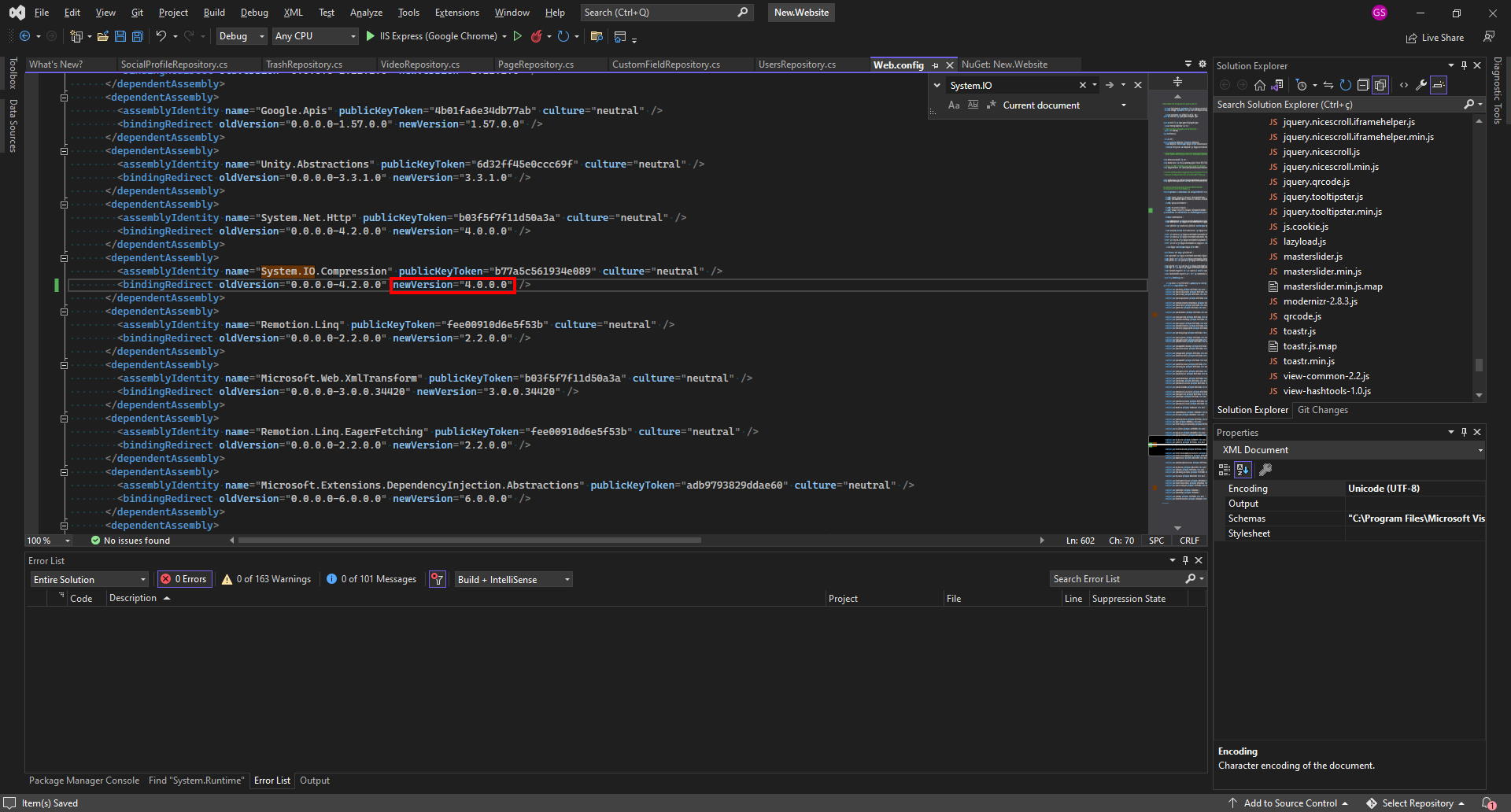
Voilà! Run your application and, if there're more Could not load file or assembly exceptions like that, repeat the 1-2-3 steps, replacing System.IO.Compression with the new assembly from the exception screen, until everything is good.
- nbolt
- nbolt
- nbolt
We use cookies and similar technologies to enhance your browsing experience, analyze site traffic, personalize content, and serve targeted advertisements. By continuing to use our site, you consent to our use of cookies. And click OK to close this pop-up window.